
K

Competitor Rankings

See how your tracked keywords compare with competitors
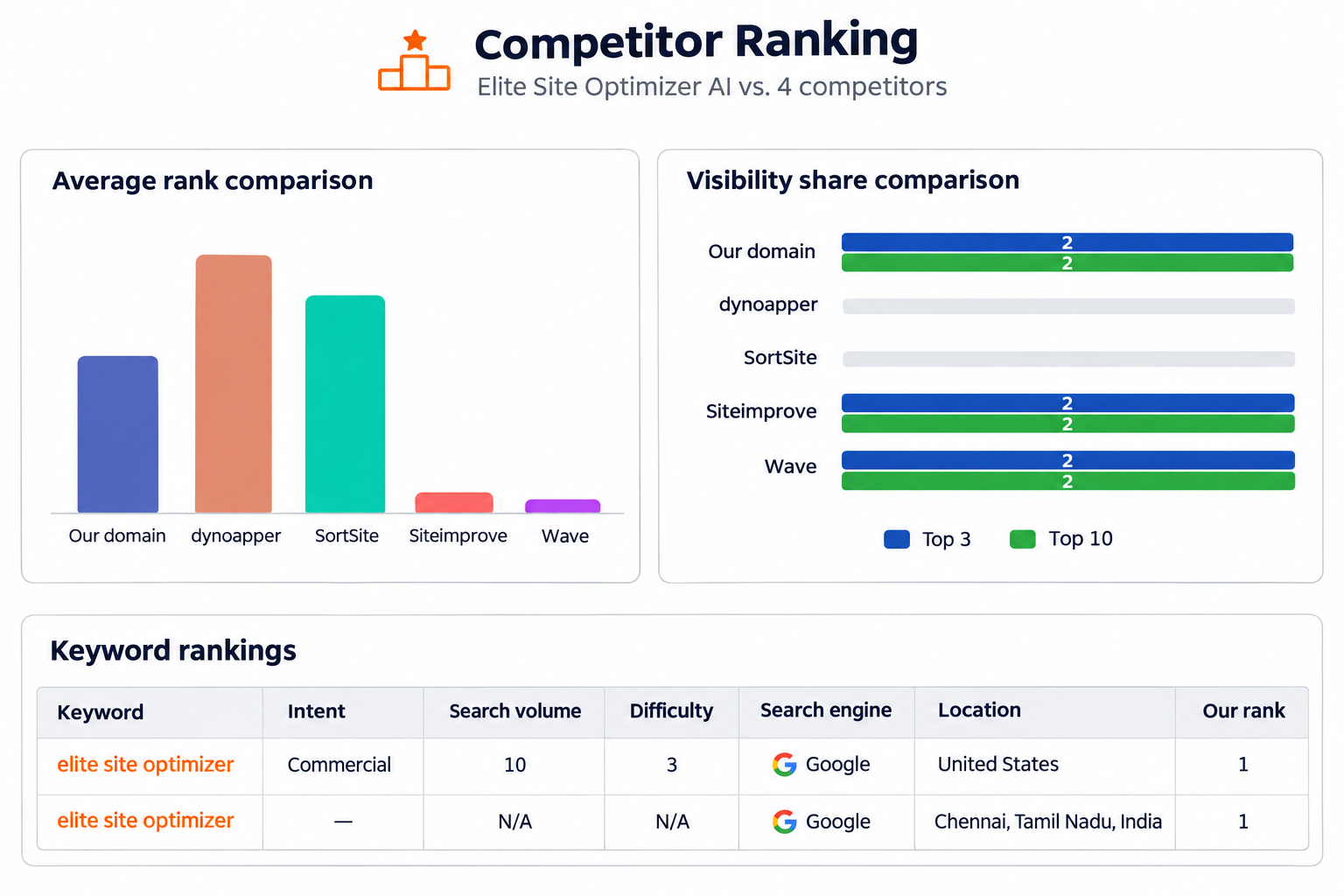
Competitor Rankings brings your keyword positions and competitor positions into one view. Compare the selected websites for a campaign and target market, then investigate where rankings have changed or where another page is appearing for a term you care about.
Use the comparison to inform research and content planning—not as a guarantee that a competitor’s strategy will work for your site.
ESO Competitor Ranking Report

Compare performance in context

Where configured and supported, review keyword positions by search engine, location, campaign, and device. Position data can vary between checks because search results are dynamic and may differ by market, device, and collection time.

Use competitor comparisons to:

– See which tracked terms competitors appear for
– Compare your position with competitor positions
– Review changes across reporting periods
– Identify terms that may merit further content or keyword research
– Export or share available report data, subject to plan and report support

How competitor ranking analysis works ?

Add target keywords

Add your target keywords to an ESO campaign.

Configure ranking settings

Select supported search engines, locations, and devices for your campaign.

Add competitor websites

Add or select competitor websites where supported by your account workflow.

Review ranking reports

Run a ranking report or review previously completed reports.

Compare rankings and trends

Analyze available keyword positions, ranking trends, and competitor performance to identify opportunities.

Rankings need careful interpretation

Competitor positions are snapshots from a particular search context and reporting time. Search engines personalize and change results. Manual searches may not match the report exactly. Use consistent campaign settings when comparing periods.

Frequently asked questions

What is a competitor ranking report?

It compares ranking positions for tracked keywords across your website and selected competitors, using the report’s configured search and location settings.

Why can my manual search show a different position?

Search results can vary by location, device, language, time, personalization, and data collection method. A report and a manual search may therefore show different positions.

Can I compare mobile and desktop rankings?

ESO’s Rank Checker supports desktop and mobile reporting. Availability of specific devices or user agents depends on the report configuration.

Does a competitor ranking mean their page is better?

Not necessarily. A position alone does not explain why a page ranks. Review the search intent, page content, technical signals, and market context before deciding what to change.