
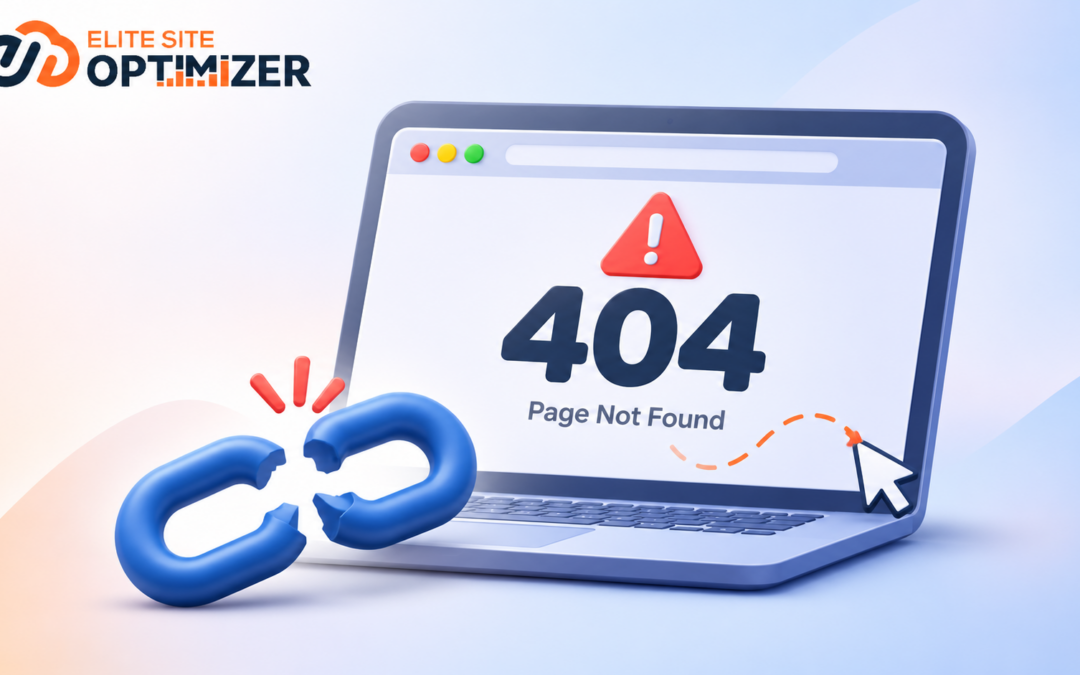
A shopper clicks “View Size Guide” and lands on a 404 page. A prospective client clicks “Book a Demo” and finds an old scheduling link. In both cases, the visitor was ready to take the next step. A single broken link stopped them.
Broken links are easy to miss because the pages that contain them can look perfectly fine. The problem only appears when someone clicks. That’s why fixing broken links starts with understanding where they appear and what visitors were trying to do when they encountered them.
What is a broken link?
A broken link points to a page, file, or resource that visitors can no longer reach. 404 Not Found is a common response when the server can’t find the requested resource. A link can break when someone mistypes a URL, moves a page without setting up a redirect, or deletes a file that other pages still reference. MDN
Internal broken links point to unavailable resources on your own site, such as a discontinued product page, an old contact form, or a deleted PDF. External broken links point to resources on other websites, such as a study cited in a blog post that the publisher has since moved or removed.
Using a broken link checker helps website owners identify inaccessible URLs before they continue affecting visitors.
How broken links affect user experience
They interrupt tasks visitors came to complete
Consider a customer who needs your return policy before placing an order. If the link in your checkout footer leads to a missing page, they have to search elsewhere for the answer, contact support, or decide whether to buy without it. The location of the link makes this more consequential than a broken citation in an old blog post.
Broken downloads create similar friction. A customer who clicks a link labeled “Installation Guide” expects instructions they can use right away. If the file is missing, the customer has to spend more time looking for it and may need to contact support.
They make information harder to trust
A broken reference makes it harder for readers to verify a claim. A missing pricing page makes it harder for a buyer to know whether an offer is current. Even when the surrounding content is accurate, an unavailable resource leaves visitors with an unanswered question at the moment they need clarity.
A reliable link checker can help identify these unavailable resources so website owners can correct them and maintain access to important information.
Broken links can also contribute to visitors leaving a website without completing their actions. Learn how to analyze website performance and fix broken links to create a smoother browsing experience.
How broken links affect website performance
Conversion paths can fail while pages still load. A landing page can load quickly and receive steady traffic while its main call to action points to a missing form. In that case, page speed and visit counts can look healthy even as visitors lose a way to convert. This is why it helps to test the full journey from the landing page through to the confirmation screen.
Moved content can lose important paths from search and other sites. Google doesn’t index URLs that return a 404, and it can remove previously indexed URLs that start returning that status. If a page has moved, a permanent redirect helps Google identify the new destination and gives visitors a route from old bookmarks and backlinks. A 404 is appropriate when a page is genuinely gone and has no suitable replacement. Google Search Central
How to find and prioritize broken links
- Crawl your website. Use a site audit to find broken links and record the page containing each link, the destination URL, and the response. Knowing the source page tells you where to make the edit. Check shared menus and templates early, since one faulty link there can appear across many pages.
- Look for old URLs that still receive visits. Review server logs and Google Search Console for missing URLs that people or crawlers still request. These can include old campaign pages, bookmarked resources, and destinations linked from other websites.
- Test key journeys in a browser. Try booking a demo, downloading a guide, or reaching the checkout. Check that each link opens the expected content. An error page can still return a 200 OK status, which Google may classify as a soft 404. Google Search Central
- Fix links in order of impact. Start with links that block purchases, sign-ups, bookings, or support. Then use traffic and link placement to prioritize the rest. One broken link in a shared navigation menu can matter more than dozens of broken references on rarely visited pages.
Regular link audits are especially important after launching or redesigning a website. Following a post-website-launch SEO checklist helps identify broken URLs, redirect errors, and navigation issues before they affect visitors.
How to fix broken links based on what changed
| What happened | What to do |
| The URL was mistyped | Correct the link on the page or shared template where it appears. |
| The page moved permanently | Update internal links to the new URL and add a permanent 301 or 308 redirect from the old URL. |
| The page was removed and has no relevant replacement | Remove or revise links that point to it. Let the old URL return 404 or 410. |
| An external source disappeared | Find the updated source or replace it with one that supports the same claim. Revise the surrounding text if the evidence has changed. |
| A PDF or download went missing | Restore the file if it’s still current, or update the link to the latest accessible version. |
Redirects work best when the destination matches what the visitor expected. For example, if an old installation guide has a new URL, redirect visitors to the updated guide so they can continue the task they started. Google Search Central
After making corrections, test broken links again to confirm that the updated URLs lead visitors to the intended pages or resources.
Make link checks part of website maintenance
Run a link check after a redesign, migration, or bulk content update. When changing URLs, map the important old addresses to their new destinations and test them after launch. Include links in emails, ads, and QR codes, especially when those campaigns still send visitors to your site.
A regular website maintenance checklist can also help teams catch broken links, redirect issues, and other technical errors after website updates.
A hyperlink checker can support routine maintenance by helping identify links that may no longer lead to accessible destinations.
Website owners should also periodically search for broken links across important pages, especially after updating navigation menus, removing outdated content, or changing website structures.
Along with checking broken links, businesses should regularly review other technical website issues. A complete technical SEO checklist covering regression testing, site analysis, and schema validation can help maintain website health after updates.
Start with your highest-traffic landing pages and the links visitors use to buy, book, sign up, or get help. A working link lets them finish the task that brought them to your site in the first place.
Ready to improve your website’s search performance?
Sign up for Elite Site Optimizer and start analyzing your website’s SEO, accessibility, performance and content quality.
Start Your Free Signup