

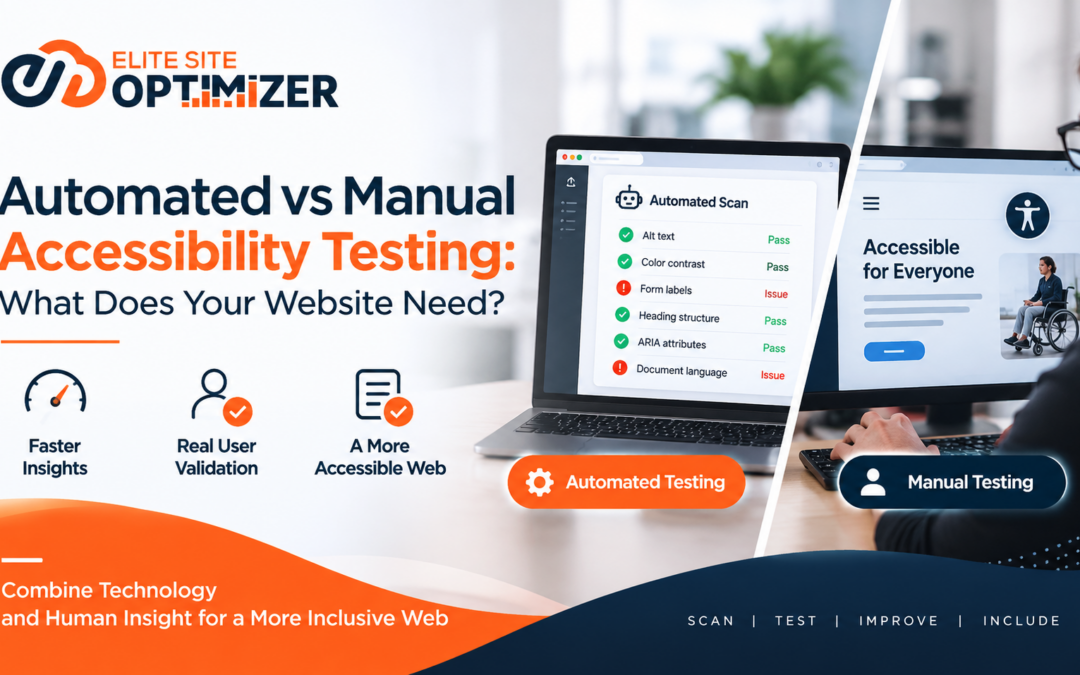
A website can pass an automated accessibility scan and still create problems for real users.
It can have correctly structured HTML, acceptable color contrast, descriptive image alternatives, and no obvious automated violations—yet a keyboard user may struggle to complete a form, a screen reader user may lose track of a modal, or someone using browser zoom may find the interface unusable.
This creates an important distinction in accessibility testing:
Automated testing can identify many accessibility issues. Manual testing determines whether the experience actually works.
The question, therefore, is not simply whether automated or manual accessibility testing is better.
The more useful question is:
What should be automated, what needs human validation, and how should both fit into your website’s testing process?
What Is Automated Accessibility Testing?
Automated accessibility testing uses software tools to scan webpages and identify accessibility issues based on predefined rules.
These tools can inspect elements such as:
- Missing or problematic alternative text
- Form labels
- Heading structure
- Color contrast
- HTML attributes
- ARIA usage
- Duplicate or missing IDs
- Document language
- Landmark structure
- Certain detectable keyboard-related issues
- Basic semantic HTML problems
Automated testing is particularly useful because it can scan large numbers of pages quickly.
For example, a website with thousands of URLs would be difficult to inspect manually on every release. An automated scanner can provide an initial technical assessment across a many pages of a site.But there is an important limitation:
An automated tool can only detect what its rules and technology are capable of identifying.
Accessibility is not purely a code-validation problem.
What Is Manual Accessibility Testing?
Manual accessibility testing involves a person interacting with a website and evaluating whether its interface can actually be used by people with different accessibility needs.
This can include testing with:
- Keyboard navigation
- Screen readers
- Browser zoom
- Text resizing
- Focus navigation
- Forms and validation messages
- Menus and interactive components
- Modals and dialogs
- Carousels and dynamic content
- Custom controls
- Error handling
- Different interaction patterns
Manual testing helps uncover issues that may appear technically valid but create a poor user experience.
For example, a button may have an accessible name and therefore pass an automated rule, but the interaction may still produce an unexpected focus change that makes the task difficult to complete.
That type of problem requires interaction—not just inspection.
Automated vs Manual Testing: The Core Difference
The biggest difference is what each method evaluates.
| Area | Automated Testing | Manual Testing |
| Speed | Very fast | Slower |
| Scalability | High | Limited |
| Large websites | Highly useful | Resource-intensive |
| Code-level issues | Strong | Moderate |
| Color contrast | Strong for detectable cases | Useful for contextual validation |
| Keyboard navigation | Limited coverage | Strong |
| Screen-reader experience | Limited | Strong |
| User-flow validation | Limited | Strong |
| Contextual usability | Limited | Strong |
| Regression testing | Highly useful | Useful for critical flows |
| Human judgment | Not required | Essential |
Neither approach covers the entire accessibility problem.
They address different layers of it.
What Automated Testing Does Well
Automated testing is valuable because accessibility problems can easily become repetitive and difficult to track manually.
1. It scales across pages
A crawler or accessibility scanner can test hundreds or thousands of URLs far more efficiently than a human reviewer.
This makes automation particularly useful for:
- Large websites
- Ecommerce platforms
- Publishing websites
- Enterprise websites
- Websites with frequent deployments
- Content-heavy platforms
2. It catches repeatable technical problems
If a website consistently contains missing form labels or invalid accessibility attributes, automated testing can identify patterns across multiple pages.
Instead of discovering the same issue repeatedly, teams can identify the underlying implementation problem.
3. It supports regression testing
Accessibility can degrade when websites change.
A redesign, CMS migration, component update, or new JavaScript functionality can introduce issues that were not present previously.
Running automated checks during development or deployment can help detect regressions earlier.
4. It creates measurable technical signals
Automated tools can help teams organize issues by:
- URL
- Component
- Rule
- Severity
- Frequency
This makes accessibility testing easier to integrate into technical QA workflows.
Where Automated Testing Falls Short
The biggest mistake is treating an automated accessibility score as a complete accessibility assessment.
It isn’t.
1. It cannot understand every user journey
Consider a checkout process.
An automated tool may identify missing labels or contrast problems. But it may not determine whether a keyboard user can:
- Open the cart
- Navigate through the checkout
- Enter billing details
- Understand validation errors
- Move between fields
- Complete payment
The entire journey requires interaction.
2. Passing a rule does not guarantee usability
A technically valid implementation can still be confusing.
Accessibility involves relationships between content, interaction, context, focus, and user expectations.
These relationships are often difficult to evaluate through static rules alone.
3. Not every issue is machine-detectable
Some accessibility problems require interpretation.
For example:
- Is the alternative text actually meaningful?
- Does the heading structure make sense for the content?
- Is the link text understandable in context?
- Does the focus order follow the intended interaction?
- Is a custom widget understandable with a screen reader?
- Does an error message clearly explain what needs to be corrected?
These questions require more than pattern matching.
What Manual Testing Reveals
Manual testing becomes especially important when accessibility depends on behavior and context.
1. Keyboard navigation
A basic keyboard test can reveal whether users can:
- Reach interactive elements
- See where focus is
- Navigate in a logical sequence
- Open and close components
- Operate menus
- Interact with forms
- Escape dialogs
- Avoid keyboard traps
A page may contain technically valid interactive elements but still produce a confusing or broken keyboard experience.
2. Screen-reader interaction
Screen-reader testing evaluates how information and interactions are communicated through assistive technology.
A tester may examine:
- Page structure
- Headings
- Landmarks
- Form labels
- Button names
- Link context
- Dynamic announcements
- Modal behavior
- Error messages
- State changes
This is an area where automated scanning has clear limitations because the question is not simply whether an element exists.
It is whether the user can understand and operate it.
3. Focus management
Modern websites frequently rely on JavaScript for menus, dialogs, filters, accordions, and other interactive components.
That introduces another layer of accessibility complexity.
For example, when a modal opens:
- Does focus move into the modal?
- Can the user navigate its controls?
- Can they close it using the keyboard?
- Does focus return to the triggering element?
These are behavioral questions.
4. Real task completion
Perhaps the most useful manual test is simply:
Can a user complete the task?
Instead of testing individual elements in isolation, evaluate important journeys such as:
- Searching for a product
- Creating an account
- Completing a form
- Booking an appointment
- Reading an article
- Downloading a document
- Completing checkout
- Contacting support
This shifts accessibility testing from individual technical rules toward actual usability.
The Accessibility Testing Pyramid
A practical accessibility workflow can be viewed as three layers.
Layer 1: Automated checks
Use automation for repeatable, scalable detection.
Goal: Find obvious and recurring technical issues.
↓
Layer 2: Manual technical testing
Use keyboard, screen-reader, zoom, focus, and interaction testing.
Goal: Validate behavior that automated tools cannot reliably judge.
↓
Layer 3: User-centered validation
Test important journeys and, where appropriate, involve users with disabilities or accessibility specialists.
Goal: Understand whether the experience works in real-world use.
The higher you move in this pyramid, the more human judgment becomes important.
So, Which One Does Your Website Need?
In most cases, the answer is:
Both.
The useful distinction is not “automated OR manual.”
It is:
Automated for coverage. Manual for validation.
A small website with a limited number of pages may require less extensive automation but should still include manual checks for important interactions.
A large ecommerce or enterprise website may benefit significantly from automated testing because of its scale, while critical user journeys still require manual validation.
The testing strategy should therefore depend on factors such as:
- Website size
- Number of templates
- Complexity of JavaScript interactions
- Frequency of releases
- Number of user journeys
- Accessibility risk
- Business-critical functionality
- CMS architecture
- Third-party components
- Existing accessibility issues
A Practical Testing Workflow
Instead of running an accessibility scan once and considering the task complete, integrate accessibility into the website lifecycle.
Step 1: Establish an accessibility baseline
Run automated testing across important templates and representative pages.
Look for recurring patterns rather than treating every URL as an independent problem.
For example, if 200 pages contain the same missing form-label issue, the underlying component may be the real problem.
Step 2: Prioritize critical journeys
Identify the actions users must be able to complete.
For example:
Ecommerce
Homepage → Search → Product → Cart → Checkout → Payment
Lead generation
Landing page → Form → Validation → Submission → Confirmation
Content website
Homepage → Navigation → Article → Search → Related content
These journeys should receive deeper manual testing.
Step 3: Test with the keyboard
Navigate through the critical experience without using a mouse.
Check:
- Focus visibility
- Focus order
- Interactive controls
- Menus
- Forms
- Dialogs
- Keyboard traps
- Skip mechanisms
Document where the experience breaks.
Step 4: Test with assistive technology
Use appropriate screen-reader and browser combinations to validate important workflows.
Do not limit the test to whether content is technically announced.
Evaluate whether the information is understandable and whether the user can complete the intended task.
Step 5: Re-test after fixes
Accessibility testing should not end when developers resolve the first set of issues.
Run automated checks again and manually revisit affected workflows.
A fix for one component can sometimes introduce a new interaction problem elsewhere.
When Automation Should Be the Priority
Automation becomes particularly valuable when:
- The website has many pages
- Content changes frequently
- Releases are frequent
- Multiple teams contribute to the site
- The same components appear across many pages
- Accessibility regressions are a concern
- Accessibility needs to become part of CI/CD
In these environments, manual testing alone does not scale efficiently.
Automation provides continuous technical visibility.
When Manual Testing Should Be the Priority
Manual testing deserves greater attention when:
- The website contains complex interactions
- JavaScript controls dominate the interface
- Forms are business-critical
- Checkout or payment flows exist
- Custom components are used
- Modals and dynamic content are common
- Keyboard interaction is important
- Screen-reader compatibility is critical
- Automated tools report few issues but users still experience problems
A clean automated report should never automatically translate into “the website is accessible.”
The SEO Connection
Accessibility testing also intersects with technical website quality.
Many accessibility practices improve the way content and structure are communicated to both users and machines.
Examples include:
- Semantic HTML
- Logical heading structures
- Descriptive link text
- Meaningful page titles
- Clear navigation
- Proper form labeling
- Structured content
- Text alternatives for meaningful images
However, accessibility and SEO should not be treated as interchangeable concepts.
A website can be technically strong from an SEO perspective and still have accessibility barriers.
Likewise, improving accessibility should not be reduced to an SEO tactic.
The primary objective is to make the website more usable and perceivable for people with different abilities and interaction methods.
A Better Way to Think About Accessibility Testing
Instead of asking:
“Did our website pass the accessibility scanner?”
Ask three separate questions:
1. What can the machine detect?
This identifies technical issues that can be evaluated consistently.
2. What can a human interaction test reveal?
This validates navigation, focus, screen-reader behavior, forms, and other interactive experiences.
3. Can users actually complete important tasks?
This tests accessibility from an outcome perspective.
These questions produce a much stronger testing model than relying on a single automated score.
Final Takeaway
Automated accessibility testing is not a replacement for manual testing.
Manual testing is not a scalable replacement for automation either.
They solve different problems.
Automation provides breadth.
Manual testing provides depth.
User-centered testing provides context.
For a sustainable accessibility process, the strongest approach is to combine all three according to the complexity and risk of the website.
The objective is not simply to produce fewer accessibility violations.
It is to create a website where people can find information, understand content, navigate interfaces, interact with components, and complete important tasks without unnecessary barriers.
That is where accessibility testing moves beyond a checklist and becomes part of genuine website quality.
Ready to improve your website’s search performance?
Sign up for Elite Site Optimizer and start analyzing your website’s SEO, accessibility, performance and content quality.
Start Your Free Signup