

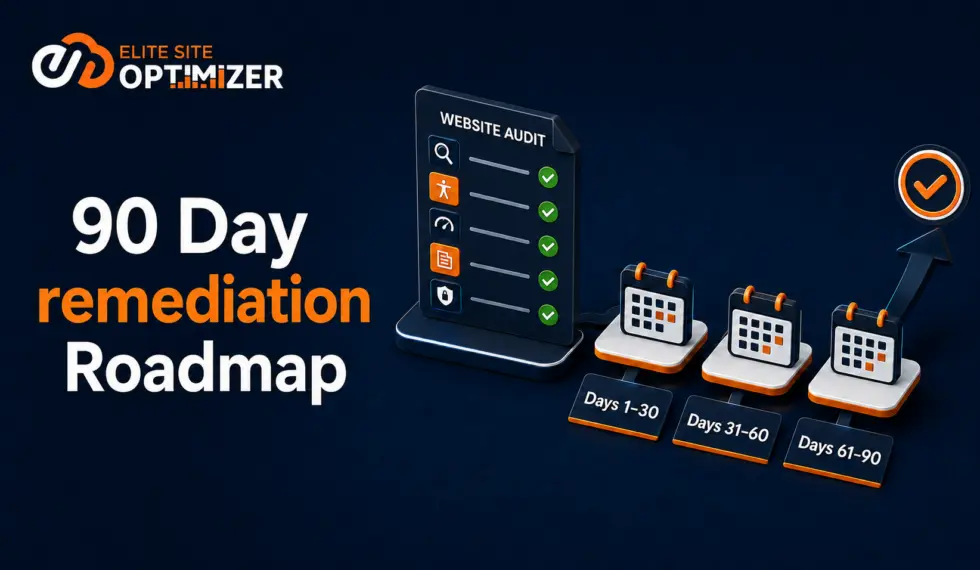
A website audit becomes actionable when its findings are prioritized by business impact, assigned to the appropriate teams, scheduled across clear phases, and measured against defined goals. A 90-day remediation roadmap helps organizations resolve critical risks first, improve priority pages, validate completed fixes, and establish continuous website monitoring.
Information Box
A 90-day remediation roadmap turns audit findings into prioritized tasks with owners, deadlines, and measurable outcomes. Days 1–30 address critical risks, days 31–60 focus on optimization, and days 61–90 validate improvements and establish ongoing monitoring.
A website audit can reveal technical SEO errors, accessibility barriers, performance problems, content gaps, broken links, and AI-readiness concerns. Identifying these problems, however, does not automatically improve a website.
Many audit reports contain hundreds of findings without explaining which issues are most important, who should resolve them, or how progress should be measured. A remediation roadmap closes this gap by converting audit data into an organized plan that marketing, content, development, accessibility, and compliance teams can execute.
Why Website Audit Reports Often Fail
Website audits commonly identify issues such as:
- Missing titles and meta descriptions
- Broken internal and external links
- Slow-loading pages
- Poor Core Web Vitals
- Crawlability and indexing errors
- Duplicate content or content quality issues
- Missing or invalid structured data
- Accessibility barriers
- Security-related issues identified through website security audits
- Weak internal linking
- Limited AI-search readiness
When these findings appear in one long list, teams may struggle to determine where to begin. Minor content issues may receive attention while critical indexing, accessibility, or security-related concerns remain unresolved.
An effective roadmap connects every task to its potential effect on search visibility, user experience, accessibility, conversions, or business performance.
Step 1: Consolidate the Audit Findings
Begin by combining findings from different audit reports into a central action register. Remove duplicate findings and group related problems into larger remediation initiatives.
For example, oversized images, unused code, slow server response, and poor Core Web Vitals can be grouped under website performance.
The action register should include:
| Field | Purpose |
|---|---|
| Issue | Clearly describes the identified problem |
| Affected pages | Shows where the issue appears |
| Category | Groups the issue under SEO, content, accessibility, performance, security, or AI readiness |
| Severity | Classifies it as critical, high, medium, or low |
| Business impact | Explains why the issue matters |
| Recommended action | Defines the required correction |
| Owner | Identifies the responsible team |
| Deadline | Sets the expected completion date |
| Status | Tracks remediation progress |
| Validation method | Explains how the fix will be verified |
This register becomes the central source for planning, implementation, and progress reporting.
Step 2: Organize Issues by Category
Grouping findings by category makes ownership and resource planning easier.
Technical SEO
Technical findings may include crawl errors, indexing problems, redirect chains, incorrect canonical tags, duplicate pages, invalid schema markup, and XML sitemap errors.
These tasks usually require coordination between SEO specialists and developers.
Website Performance
Performance findings can include slow server response, large images, unused JavaScript or CSS, layout shifts, poor mobile performance, and inefficient caching.
These issues should be evaluated according to their effect on usability, search visibility, and conversions.
Content Quality
Content findings may include thin pages, unclear service descriptions, missing headings, poor readability, weak calls to action, and content that does not satisfy user intent.
Priority should be given to pages that support important products, services, leads, or sales.
Accessibility
Accessibility findings may include missing alternative text, insufficient color contrast, unlabeled forms, incorrect heading order, inaccessible navigation, and unclear link text.
Automated testing can identify many detectable issues, but manual testing and assistive-technology evaluation may still be required.
Security
Security audits may identify concerns related to SSL configuration, security headers, outdated components, source code, repositories, or website applications. Findings should be evaluated by qualified technical or security teams, with urgent issues escalated appropriately.
AI-Search Readiness
AI-search readiness findings may include weak content structure, missing structured data, limited answer-ready information, and technical readiness issues.
Addressing these areas can help search engines and supported AI platforms discover, interpret, and understand website content more effectively.
Step 3: Prioritize Findings
Not every audit finding requires immediate action. Prioritize findings based on severity, business impact, number of affected pages, and implementation effort.
Critical issues
These should receive immediate attention:
- Important pages blocked from crawling or indexing
- Broken lead forms, checkout processes, or conversion paths
- Severe accessibility barriers
- Major mobile usability problems
- Incorrect redirects affecting valuable pages
- Urgent security-related findings requiring technical review
High-impact quick wins
These improvements can often be completed quickly:
- Repairing broken internal links
- Optimizing titles and meta descriptions
- Correcting canonical tags
- Compressing oversized images
- Adding missing alternative text
- Improving calls to action
- Adding structured data to priority pages
Strategic improvements
These tasks may require additional planning but can deliver long-term value:
- Reorganizing website architecture
- Rewriting important service pages
- Improving internal linking
- Building content clusters
- Resolving template-level accessibility issues
- Strengthening AI-search readiness
- Establishing continuous website monitoring
Lower-impact cosmetic issues can be addressed after business-critical work has been completed.
Step 4: Assign Clear Ownership
Every task should have one accountable owner.
| Issue category | Primary owner |
|---|---|
| Crawling, indexing, and redirects | SEO and development |
| Page speed and Core Web Vitals | Development |
| Content and metadata | SEO and content |
| Accessibility | Design, development, content, and compliance |
| Schema markup | SEO and development |
| Security-related findings | IT, security, or development |
| AI-search readiness | SEO, content, and development |
| Analytics | Marketing and analytics |
Cross-functional projects should still have one primary owner. Shared responsibility without clear accountability often results in delays.
Days 1–30: Stabilize and Resolve Critical Issues
The first month should establish the website’s baseline and address problems that create immediate business risk.
Key actions
- Confirm audit findings and remove false positives.
- Fix crawlability and indexing errors.
- Repair broken forms, navigation, links, and conversion paths.
- Escalate urgent security-related findings for appropriate remediation.
- Resolve critical accessibility barriers.
- Correct major redirect and canonical issues.
- Establish baseline SEO, performance, accessibility, and AI-readiness results.
- Assign owners and deadlines to remaining tasks.
By day 30, the website should be stable, searchable, usable, and free from the most urgent identified problems.
Days 31–60: Optimize Priority Pages
The second month should focus on improvements that strengthen visibility, performance, content quality, accessibility, and conversions.
Key actions
- Optimize titles, descriptions, headings, and page content.
- Improve Core Web Vitals and mobile performance.
- Add or correct structured data.
- Update important product and service pages.
- Strengthen internal links between related pages.
- Add direct answers and useful FAQs to priority pages.
- Improve brand and organization information.
- Address medium-severity accessibility findings.
- Strengthen calls to action and conversion journeys.
- Create content for important keyword and competitor gaps.
By day 60, priority pages should provide stronger search relevance, clearer information, better accessibility, and improved user experiences.
Days 61–90: Validate and Establish Governance
The final month should verify that the implemented changes worked and create processes to prevent problems from returning.
Key actions
- Rerun relevant website audits.
- Compare new findings with the original baseline.
- Confirm that resolved issues have not returned.
- Review organic rankings, traffic, engagement, and conversions.
- Monitor AI citations and brand mentions where applicable.
- Perform manual accessibility checks on important user journeys.
- Review unresolved or blocked tasks.
- Establish monthly or quarterly monitoring.
- Assign ongoing website-governance responsibilities.
- Present progress and future priorities to stakeholders.
By day 90, the organization should have verified improvements, documented results, and a repeatable monitoring process.
Metrics to Track
A remediation roadmap should measure outcomes, not only completed tasks.
SEO and performance
- Indexed-page coverage
- Keyword visibility
- Organic traffic
- Core Web Vitals
- Mobile performance
- Crawl and schema errors
- Broken links
Accessibility
- Critical and high-severity findings
- Number of affected pages
- Remediation completion rate
- Repeated accessibility issues
- Manual testing results
Content and conversions
- Leads from priority pages
- Engagement with updated content
- Content-quality improvements
- Missing or duplicate metadata
- Conversion performance
AI visibility
- AI citations
- Linked and unlinked brand mentions
- Answer presence for tracked prompts
- AI-readiness improvements
- Resolved content and topic gaps
Common Remediation Mistakes
Trying to fix everything at once
Large audit reports can overwhelm teams. Start with issues affecting important pages, user journeys, accessibility, visibility, and conversions.
Prioritizing by issue count
One serious indexing or conversion problem can have more impact than hundreds of minor warnings.
Failing to assign owners
Tasks without clear ownership are more likely to remain unresolved.
Closing tasks without validation
Every correction should be rescanned, tested, or manually verified before it is marked complete.
Treating the audit as a one-time project
New content, plugins, design changes, and software releases can introduce new problems. Continuous monitoring is necessary to protect improvements.
How Elite Site Optimizer Supports Remediation
Elite Site Optimizer helps organizations identify and monitor findings across:
- AI visibility and AI-search readiness
- Technical and on-page SEO
- Website accessibility
- Content quality
- Keyword rankings
- Website performance
- Structured data
- Broken links
- Backlinks and brand mentions
- Security audits
- Audit regression
ESO provides actionable recommendations for supported content, technical, schema, accessibility, security, and source-code findings. Teams can review recommendations, compare audit results over time, and identify recurring issues from one platform.
This connected approach helps SEO, content, accessibility, compliance, marketing, and development teams work from a shared view of website priorities.
Conclusion
A website audit creates value only when its findings lead to measurable improvements. A 90-day remediation roadmap provides the priorities, ownership, deadlines, and validation required to move from analysis to action.
During the first 30 days, resolve critical issues. During days 31–60, optimize priority pages and user experiences. During days 61–90, validate the improvements and establish continuous monitoring.
This structured approach helps create a website that is easier to discover, access, understand, use, and maintain.
Turn Your Website Audit into Action
Identify the issues affecting your website’s SEO, AI visibility, accessibility, performance, content, and technical health with Elite Site Optimizer.
Start your 14-day free trial and build a prioritized remediation roadmap for your website.
Ready to improve your website’s search performance?
Sign up for Elite Site Optimizer and start analyzing your website’s SEO, accessibility, performance and content quality.
Start Your Free Signup